Showing posts with label i-rocks. Show all posts

i-Rocks IK6 Crystal Keyboard Review


     It's a whole new month and here I am again, this time, with a review of the i-Rocks IK6 keyboard. Sporting basically the same key structure as the fan-favourite i-Rocks K10, does the IK6 bring anything new to the table, or is it just the K10's different looking younger brother? Let's find out.

WHAT'S IN THE BOX

The keyboard itself and a piece of information

TECH SPECS
REVIEW
     Starting off with the packaging, i-Rocks opt with a much more minimalist design for their box this time, probably to match with the very nice aesthetic that the IK6 sports, more on that later. There's shrink wrap all around the keyboard to protect the keyboard from scratches as such. Overall, enough protection for the keyboard to safely endure shipping.


     Moving onto the keyboard, in the looks department, based on the title of this post alone, you can already guess that it has a transparent bottom already. I was very impressed by the overall look of the IK6, and that was just looking at the black version; the white version looks far more superior, in my opinion, judge for yourself. I find that this keyboard could fit in an office pretty well, as it looks way more subtle compared to other gaming-grade keyboards.

     Speaking about gaming, the keyboard still features some of i-Rocks gaming features like Windows-key lock, as well as a 26-key anti-ghosting area for those that can type that fast. So, if any gamers out there that would like a nice looking keyboard, you can go for the IK6 without sacrificing any essential gaming features.


     Build quality wise, I would say that most of the sturdiness of this keyboard comes from the glass casing on the back. There's basically no flex to the casing even when I try to bend it, so it's goes without saying that under normal usage conditions, that there's no need to worry.


     Connection wise, you get a USB connection with a cable length of 1.5m. That's an ample amount of cable. However, due to the glass casing, users don't get the run-of-the-mill cable routing lanes as seen on other i-Rocks keyboards that I have reviewed in the past, so do keep that in mind.


     Typing experience wise, while it does utilize the same key structure as the fan-favourite K10, it feels slightly different compared to its predecessor. While it is hard to put it in words what the difference between the two is, I'm still going to give it a go; the IK6 is not as "clicky" as the K10. Depending on your preference, this might or might not be a good thing. For me, I like the "click" sound that I make while typing, even though people tell me that it's due to my incorrect way of typing. Overall speaking, while it doesn't feel as good as the K10, the IK6 is still way better than most membrane keyboards that I have used in the past. Oh and finally, a FULL SIZED BACKSPACE, the short backspace normally found on i-Rocks keyboard is the bane of me.

CONCLUSION

     I'm out of words to describe the IK6, so I will just go ahead and conclude everything the IK6 is and isn't. The IK6 is a beautiful looking keyboard, that performs similarly to the K10, albeit being slightly off compared to the superior K10. This slick looking keyboard also complements a work/office space fairly well, so if you are in the market for a keyboard that is fairly professional looking, I wholly recommend the IK6. The i-Rocks IK6 retails at MYR 179.00. For more information, you can refer to i-Rocks Malaysia Facebook Page or their official website.

i-Rocks Golem Series K50E Keyboard Review


     After reviewing one of my favorite non-mechanical keyboard, the Rock Series K10, i-Rocks sent me another one of their upcoming products, the Golem K50E. Will this keyboard blow my socks away like the K10 did? Let's find out.

WHAT'S IN THE BOX?

The keyboard itself, a PS/2 to USB adapter and a user manual

TECH SPECS

REVIEW

     Starting off with the box, the K50E comes in a fairly straight-forward package. The keyboard is secured by in the box by cardboard and that's it. In which I say is enough protection for a keyboard. While there isn't any sort of 'unboxing experience' per say, I'd wager that you bought a keyboard for a keyboard, and nothing else.


     Moving on, let's look at the keyboard instead. In the looks department, the K50E looks about the same like the K10, albeit this time with a whole lot more red accents compared to the latter. Like the K10, the K50E sports a plastic finish all around, be it the keycaps or even the base of the keyboard. The only obvious logo on the keyboard would be the one on the space bar while another two logos are spotted at the bottom and the top-side of the keyboard, both of which will be not visible in normal usage conditions. Build quality wise, despite not being as heavy as its predecessors, the K50E still feels solid overall.


     Connection wise, you get a USB 2.0 connection with a 1.8m cable. The cable also comes with a color-matching velcro for easier cable management. The keyboard also comes along with a PS/2 adapter which some people reign superior over a USB 2.0 connection, but that's a whole other discussion for another day.


     Turning the keyboard around, we find a bright red finish down at the bottom. While users can't really see the red on the bottom of the board, they will see a slight accent on the sides, which is a nice touch. On the bottom, we find a kick-stand with ample amounts of slippy pad and more slippy pads around the keyboard. There's also a cable management lane which users can utilize depending on their preference where it would be better to have the cable route out of.


     This time round, the K50E finally sports some sort of backlight. The keyboard is lit up using a single light source that diffuses throughout the keyboard. This results in a dimmer lit keyboard compared to keyboards which are individually backlit. While I would certainly like to have the keys individually backlit or you know, brighter, I understand that i-Rocks did this to keep the price down; look at the bright side though, this kind of backlight isn't as prone to dying compared to the individual LEDs (probabilities). The red backlight also suits the theme of the K50E that features subtle red accents.

     Typing experience wise, the K50E features a scissor-structure switch, which is vastly different from what the K10 had. While I don't have the technical knowledge to delve deep into how the switch performs and other technical stuff, I can still describe how the keyboard feels from a general user's perspective. It's definitely better than your typical office keyboard, but when compared to a nice mechanical keyboard, it's really no contest. Compared to the K10, I would say that the K50E is a bit less "clicky" than the former which might or might not be a benefit for you, depending on whether or not you are a silence freak. Personally, I prefer the K10 as I'm more of a clickity-clack person. Keyboard layout is same as the K10, which again, reminds me of its short backspace key. I never did understand it anyway.

     Functionality wise, you get the usual Windows-key lock function, 24-key anti-ghosting area, as well as what i-Rocks calls as 'Turbo Typing', which is basically just increased repeat rate, good for Quick-Time Events (QTE) which are very prevalent in modern AAA games. If you read the K10 reivew, I still hold my stance that software integration will definitely do wonders for i-Rocks, especially with this keyboard; if users could switch between different modes of lighting, record macros and the like, it will be superb.

CONCLUSION

     On a final note, I find the K50E a pretty good keyboard; solid build quality, comes backlit, nice and silent to type on, and has some nice functions like adjustable repeat-rate and the quintessential windows-lock. This time round, the K50E retails at MYR 229.00, which compared to the K10 is quite steep. Judging from the addition  of a backlight as well as a different key structure, the price is pretty much justified at i-Rocks side. However, at this price, I find it hard to recommend as there are baseline mechanical keyboards that are priced only 20-30% higher than the K50E. It's up to you to weigh the scales between having a backlight and having a slightly better typing experience.

Father's Days Gift Ideas for 2014


     We are halfway through the year already and one of the most significant events happening this month would be Father's Day! To celebrate the occasion, one would often buy a tie or a wallet alongside a cake for the man of the house. With KENYSL.com being a technology blog, of course, I won't be recommending the usual clothing accessories, instead, I will be recommending some awesome technology related gadgets that dad will probably find useful.

i-Rocks Rock Series A05 Gold Edition Gaming Headset Review - A New Challenger Appears!


      When we bring up the entry level of gaming headsets, the top recommendations would always be either the Razer Kraken or the Siberia V1. To this stagnant competition comes a new contender, the i-Rocks Rock Series A05 Gaming Headset. Let's check out what this headset has to offer.

WHAT'S IN THE BOX, KEN?


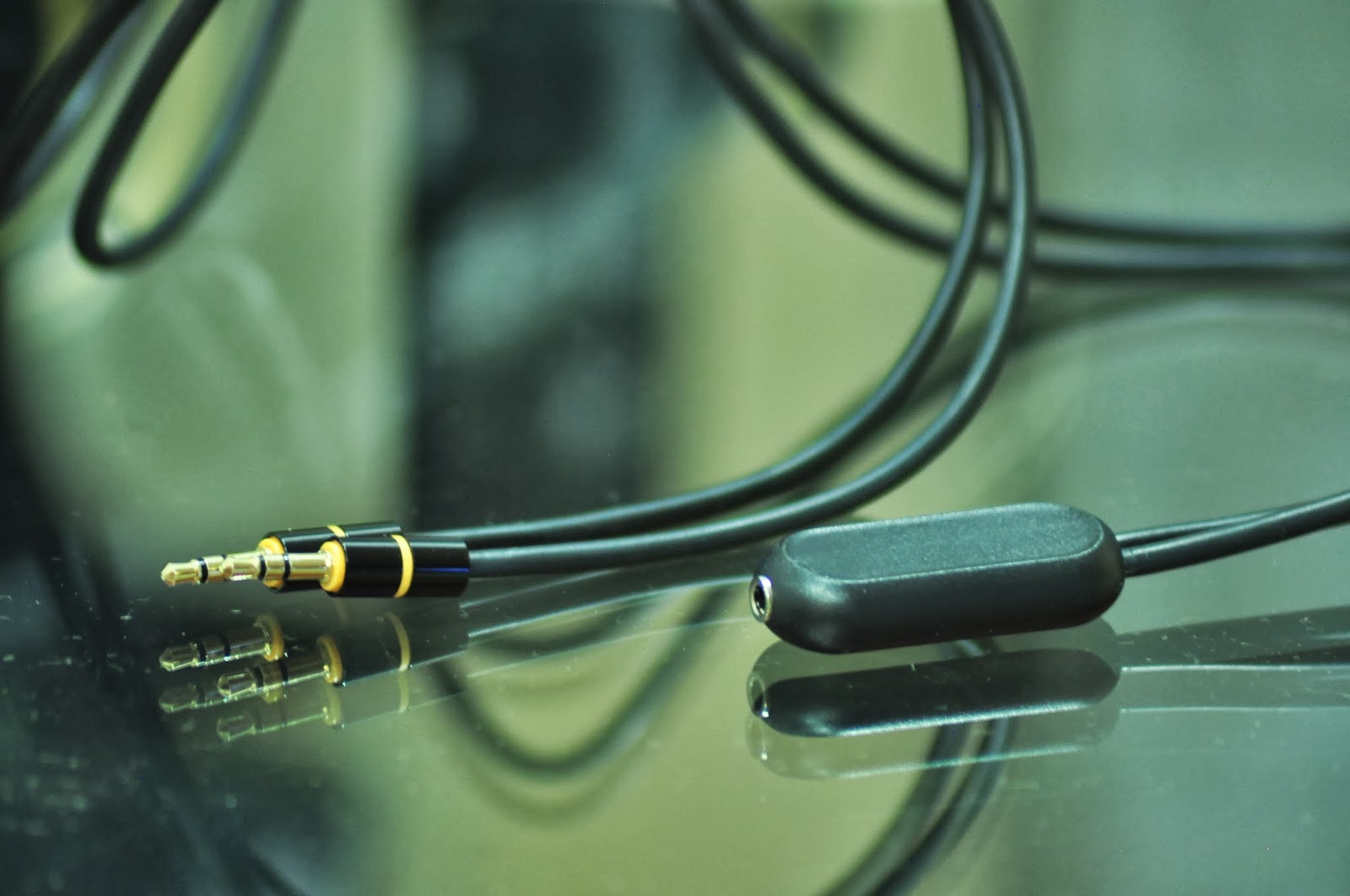
The headset itself, detachable 3.5mm audio cable, extending audio/mic splitter cable, detachable mic and a piece of information.

TECH SPECS
HEADPHONE SPECIFICATIONS
  • Type: Closed-back dynamic
  • Driver: 40mm diameter
  • Frequency response: 20-20k Hz
  • Sensitivity: 100 dB
  • Impedance: 38 ohms
  • Connector: Gold-plated stereo 3.5mm
  • Cable: 1.2 Coiled. PU litz wire

MICROPHONE SPECIFICATIONS
  • Type: Noise Cancelling
  • Impedance: 2.2k ohms
  • Sensitivity: -46 ± 3dB
  • Frequency:100-10K Hz
REVIEW


     Taking a quick look around the headset, we find the i-Rocks logo etched atop the headband and both sides of the ear-cup. Like what the name already states, the headset has a matte black finish with gold accents around the ear-cups. The finish feels high quality to the touch but I doubt that you want to constantly caress the headset. In my opinion, the headsets looks very fashionable and normally I would let it sit around my neck and use it as sort of a fashion accessory.


     To expand on how it could be used as a fashion accessory, is how the A05 features a detachable cable and a detachable mic. At the bottom end of both ear-cups, one would find 3.5mm ports that allow the audio cable and mic to be attached to either side you prefer. This comes in very handy because in the past people have complained about being restricted of how the cable is laid out and would prefer it on the other side. With this feature, users are given the liberty to take control of their own layout. Of course, if you just want to use the A05 as just a fashion accessory, you can detach both of them to prevent unnecessary cables dangling around while you walk in style.


     While detachable cables are certainly wonderful, I have a gripe with this particular cable. Logically, you would keep the cable coiled inside your bag or whatever method you please and let the headset sit around your neck. The cable also features in-line volume control allowing users to easily adjust volume on the fly independent of the usual Windows Volume control. One problem with the cable is when one keeps the cable coiled for a certain amount of time, the cable has the tendency of getting itself dangled. Fortunately, one would just have to straighten it out for a few moments before using the A05, but still, dangling cables, period.


     Let's move on to the comfortability of the headset. Around the ear-cups we find cushioning made of leather and on the top we find cushioning made of what I would presume as memory foam since it forms around my head when I actually wear the A05. Adjusting the size of the headset is kept like how it is with adjustable headband that is made of shiny aluminium. The adjustment process is actually very smooth without being too smooth to avoid accidental adjustments while using the headset.

     Overall build quality wise, the A05 feels pretty robust. If you would like to stash the A05 inside your bag while you travel instead of letting it sit around your neck, it wouldn't be much of a problem in my opinion. That pretty much sums up what I have to say about the quality, let's move on to the audio quality.


     The A05 sports 40mm drivers as you would find standard across most of the gaming headsets in this range. Music wise, I have been listening to Billboard's Hot 100s and as expected the A05 performance is stellar. Unlike other gaming oriented headsets, the A05 does not have that much of an emphasis on bass which might or might not suit you. With some fiddling around with the equalizer of my preferred music player, I was able to achieve my desired audio quality. One word of advice though would be to ensure that the headset is firmly placed around your ears to ensure good audio quality; I guess thats the trade-off for designing such a light headset. Gaming wise, the A05 is on par with other gaming oriented headsets within its range. Oh and before I forget, since I am sort of categorizing the A05 as a portable accessory, the headset works great on mobile too!

     Now we shift our attention onto the detachable microphone. The microphone bears almost the same DNA of retractable microphones found on a lot of gaming headsets; as in the microphone of the A05 is very flexible with how it can be positioned. i-Rocks also claims the microphone to be noise-cancelling but awkwardly enough it doesn't muffle the clicky noise of the K10 keyboard.... which analogically put is like pitching the best sword against the best shield I guess.

CONCLUSION
     Looking at the whole package, the A05 presents itself as an extremely competitive product at a SRP of RM199. If you are looking for something portable, durable and in a sense, "stylish", the A05 is right up your alley. Interested to get one for yourself? You can contact the guys over at i-Rocks Malaysia using the links down below.


i-Rocks Rock Series M09 Gaming Mouse & C10 Gaming Mousepad Review


     Here I come with another i-Rocks product review, and this time I'm giving you a double scoop by covering the Rock Series M09 Gaming Mouse and C10 Gaming Mousepad at the same time. Like the K10, the M09 and C10 are focused on the fundamentals. Lets dig into what the M09 and C10 is all about.

WHAT'S IN THE BOXES

The mouse, a piece of instruction for it and the mousepad.

TECH SPECS

M09 Mouse
  • USB Interface
  • Adjustable Resolution: 500 / 1000/ 1750 DPI
  • Adjustable Report Rate: 125 / 500 / 1000Hz
  • Dimension: 117(Length) x 66.5 (Width) x 41.5 (Height) mm
  • Cable Length: 180 cm

C10 Mousepad
  • Material : Fabric + Natural rubber
  • Dimension : 366 X 262 X 4 mm
REVIEW
   
     Checking out the M09 from the little window view of the box, the mouse bears a striking resemblance to the infamous Razer Deathadder. The black matte finish, the green accents, the shape and the list goes on and on about why it looks like the aforementioned, but today we are not here to talk about things like that, we are here to find out what the M09 is all about.
     Lets first give attention to the supporting role in what makes a wired mouse, the USB cable. Like you expected, we are given a gold-plated USB header, giving us the liberty to plug in and out as much as we like. The USB cable is also braided, making it easier to untangle if it does eventually tangle among itself. We also get a Velcro strap to manage the USB cable if one would like to bring the mouse along with them. Rejoice, people with OCD!
   
     After plugging in the USB, the M09 greets us by activating its LED lights. The LED illuminates the scroll wheel and the "ROCK" logo situated right under your palm when using the mouse. The LED illumination gives the M09 a boost in aesthetics, one minor complain though, is that there is a bit of "overshine" (coined that term), you can clearly see the shape of LED backlight, a square PCB I guess. Under bright light, you wouldn't be able to make out this shape clearly, but still, once you see it, you won't be able to unsee it.

     At the side of the M09, there are 2 side buttons. Unfortunately, it only functions as a "Back" and a "Forward" key to ease your web browsing since there is no software functionality to map macros onto the side buttons. The only saving grace is that games still recognize the two buttons as Mouse Buttons 4 and 5, giving you the option to remap simple controls onto it via game settings.

     When you learnt that the M09 has no software functionality, you might be gasping in fear, exclaiming your need to tweak the sensitivity of the mouse across all games and do not want to resort to shitty Windows settings. Fright not, flipping the mouse around, you are greeted with 2 switches, 1 for DPI settings, another for polling rate settings. There are only 3 settings for both DPI and polling rate, 500/1000/1750 for DPI and 125hz/500hz/1000hz. While it may seem a little scarce of choice, if you adjust the polling rate and DPI accordingly, you should surely meet your match, well unless you are running 4 monitors... And before I forget, the M09 sports a laser sensor but there is no information on exactly what laser sensor it uses.

     Now we come to the most important part, the ergonomics of the M09. If I were asked to describe the shape of the M09, I would be baffled for words. So I will put it in a simple way, this mouse sports the shape of your normal everyday mouse. The size of the mouse fits my hand nicely with a little bit of margin, but I have small Asian hands, so that might be a concern for you. After a long day at work using the M09, I feel no strain and the matte rubber finish feels nice. One gripe of mine with the mouse is that I wished that the sides were a little bit rougher compared to the other parts of the mouse, giving me a better grip for the mouse, but that differs from person to person.

     To enhance ones experience of using a great mouse, one should get a mousepad of equal quality. Fortunately enough, i-Rocks also released a mousepad, the C10, alongside with the M09. The C10 sports a design with more sharp edges than one would normally find on a mousepad. There is also a big "Rock series" graphic on the mousepad to let people know what mousepad you are using. Personally, I like simplistic designs like my QcK Mass, but each to his/her own of course.
     The C10 is made to be pretty silky smooth for the mouse to glide through with its fabric top. Other than making your mouse glide with almost no resistance, the smooth top of the C10 allows your hand to sit comfortably on it while in usage. Personally though, I prefer surfaces with a rougher finish for the higher resistance while using a mouse.

CONCLUSION
     If you haven't notice, I have still yet to mention the price of the M09. So if you haven't ran off googling, the M09 comes in at only SRP RM95. For it's price, I am pretty sure the M09 is a killer deal at that range. In my honest opinion, if you are looking for a value oriented mouse and don't fancy any of the software functionality that other name brands provide, the M09 presents itself as a pretty good pick for you. The mouse is also a pretty good pick-up for those who are picking out their first gaming mouse, as it will quickly introduce you to the world of gaming peripherals, especially its keyword, "Quality".
     For the C10, it comes it at SRP RM59, which in my opinion, is not to my liking. At that range, I would probably get a SteelSeries QcK Mass, but for those who prefer a much more smoother surface for more glide, the C10 is probably suitable for your taste.


Valentine's Day is here guys! Have a great date people!

i-Rocks Rock Series K10 Gaming Keyboard Review - Tactile... but not Mechanical??!

Trying out a new way of writing, send your feedback to kenyeohsl@gmail.com
   
     When you clicked on this post, you might be wondering who is i-Rocks. So let me do brief introduction to the brand. i-Rocks is a Taiwanese brand that's been producing IT-related peripherals that suit the needs of almost anyone, from IT workers to professional gamers.The peripherals that cater to the gamer audience is under the Rock Series. Recently, they expanded their operations that enables me to review this interesting keyboard. Let's dive deep into what the i-Rocks Rock Series K10 Gaming Keyboard is all about.

WHAT'S IN THE BOX, KEN?
The keyboard itself and a piece of product information

TECH SPECS
  • Interface: Full Speed USB
  • Polling Rate: 1000 Hz
  • Key number: 104 keys (by language)
  • Key stroke: 3.8±0.5mm
  • Key force: 55±15g
  • Switch life: about 20 million life cycles
  • Cable length: 180cm
  • Dimensions: 448 (L) x 148 (W) x 34(H) mm
  • Product weight: about 1.2kg
  • N-key Rollover with 30 keys trigger capability
  • Membrane key-switches with plunged key structure
REVIEW
the K10
     In case you haven't read the tagline of this review, let me inform you that the K10 is actually just a membrane keyboard. And if it were to be just a normal membrane keyboard, this review would reflect on how lackluster it would be. But, that is not the case.

     The K10, a membrane keyboard, actually has the touch and feel of using a mechanical keyboard, and to be exact, it feels and types like a keyboard with Cherry MX Red switches. The K10 features a switch they dubbed as the "POM key switches" which I had been googling for a good while now but can't turn up with any good resources so we would have to take it word for word from the company. With Cherry's patent being expired for a good while now. A lot of companies have taken the liberty of trying to develop their own key switch like ThermalTake (Tt eSports) with their recent revelation at CES 2014.

     From what I have been told, the POM key switch is i-Rocks take on developing their own switch without straying too far away from the normal membrane keyboard. From the few days of using this keyboard, I can tell you that they are doing a good job in giving the tactile feel that not too long ago, only mechanical keyboards could achieve.

why you heff to do this to me
     So now you know how much I love the tactile feel of this keyboard, but it is not like I don't have any gripes with it; One of it being the keyboard layout. Based on personal preference, you might be well acquainted with a short backspace key, but for myself, I have been typing as long as I could remember on keyboards with the more common long backspace key. It's something one would have to get used to, but mistakes would occur much more frequently using this layout in my honest opinion.

the backlit i-Rocks logo on the space bar and no, the red accent is not backlit
     Another thing I wished the K10 have had, media control keys. Personally, I just need volume control and that's it because my speakers don't have the nifty knob to turn volume up and down. But I guess that has to do with the plug n' play functionality and its limitations.

dat cable management
     It's not all bad for the K10, this keyboard features something I miss a lot while using the Razer Deathstalker, cable management lanes under the keyboard. One might question why you need cable management lanes under a keyboard, and I would tell you that it will make your desk less cluttered if you were to utilize it properly.

     The keyboard doesn't feature any software functionality like other name brand peripherals but it still has the essentials that a gamer might need. For an example, the K10 still has the Windows key lock a.k.a gaming mode. But the activation method is kind of unique compared to other keyboards. You just have to hold both left and right Windows keys down and 'tada' your Windows keys are now disabled, making it impossible to accidentally tab out of the game due to the mispress of the Windows key.

     Due to the plug n' play that i-Rocks is so keen to focus on, the K10 features a gold-plated USB. If you haven't heard yet, gold-plated USB headers don't give you the auto-winning edge, instead, it gives you the liberty to plug in and out much more times compared to normal USB headers reason being gold corrodes at a much more slower rate.

     Seeing the K10 is a gaming keyboard, i-Rocks is not forgetting about the essence of what defines a gaming keyboard, not shiny LEDs (which the K10 does not have), instead, its all about the n-key rollover (anti-ghosting) for 30 simultaneous key presses and 1000hz refresh rate. Let's go through the latter first. A keyboard having 1000 hertz refresh rate means that it only takes 1 millisecond for it to register your keystroke, which is important for that split second decision making while gaming.

dividing text with pictures proven to make posts look shorter
     Now you might be asking about what this n-key rollover or better known as anti-ghosting means. Ghosting basically means when you press multiple keys together, some keystrokes are not registered to the system. So the K10s' 30-key anti-ghosting lets you be able to press 30 keys together without losing any keystrokes in the process, and I am confident that you would never press 30 keys simultaneously in any serious situation.

everyone loves velcro... right?
     Something fresh that I really like about the K10 is the included Velcro strap. This Velcro strap is something I have yet to see implemented to a lot of peripherals with long cables, which to be honest, is really handy to have if you were to bring the K10 around with you, to save you from the living hell that is dangling cables all around your bag.

     But talking about lodging it around with you, the K10 weighs in at an astonishing 1.2kg. When I unboxed this keyboard, I was truly shocked by how hefty the keyboard felt. This would make bringing it around kinda hard to cope with if you are on the go constantly, but this certainly guarantees that the K10 is made of solid material and perhaps even made with a aluminium backplate as I can't seem to even make the keyboard flex, not even a little bit.

CONCLUSION

     After some sloppy structuring of this review, we have come to the part where I conclude stuff (some of you might even just read this part :( ). The i-Rocks Rock Series K10 comes in at only RM169, making it a very value oriented keyboard. I would wholeheartedly recommend the K10 to anyone looking to try out what a mechanical keyboard feels like in daily use but doesn't want to spend too much yet. I'm addicted to the tactile feel of this keyboard to the point that I don't have the motivation to type on my notebook's chiclet keyboard. While the K10 is not as full featured as other name brand keyboards with software support, the price and the tactile feel really makes it too good of a deal to let go. Therefore, the i-Rocks K10 is awarded the Editor's Choice award.

     Last review of the month guys! It's been a good start to a year and I hope that it progresses like this throughout the year. Happy Chinese New Year too to those who are celebrating!